
Compliance records
Food-safety records, kept as the work happens.
Opening and closing
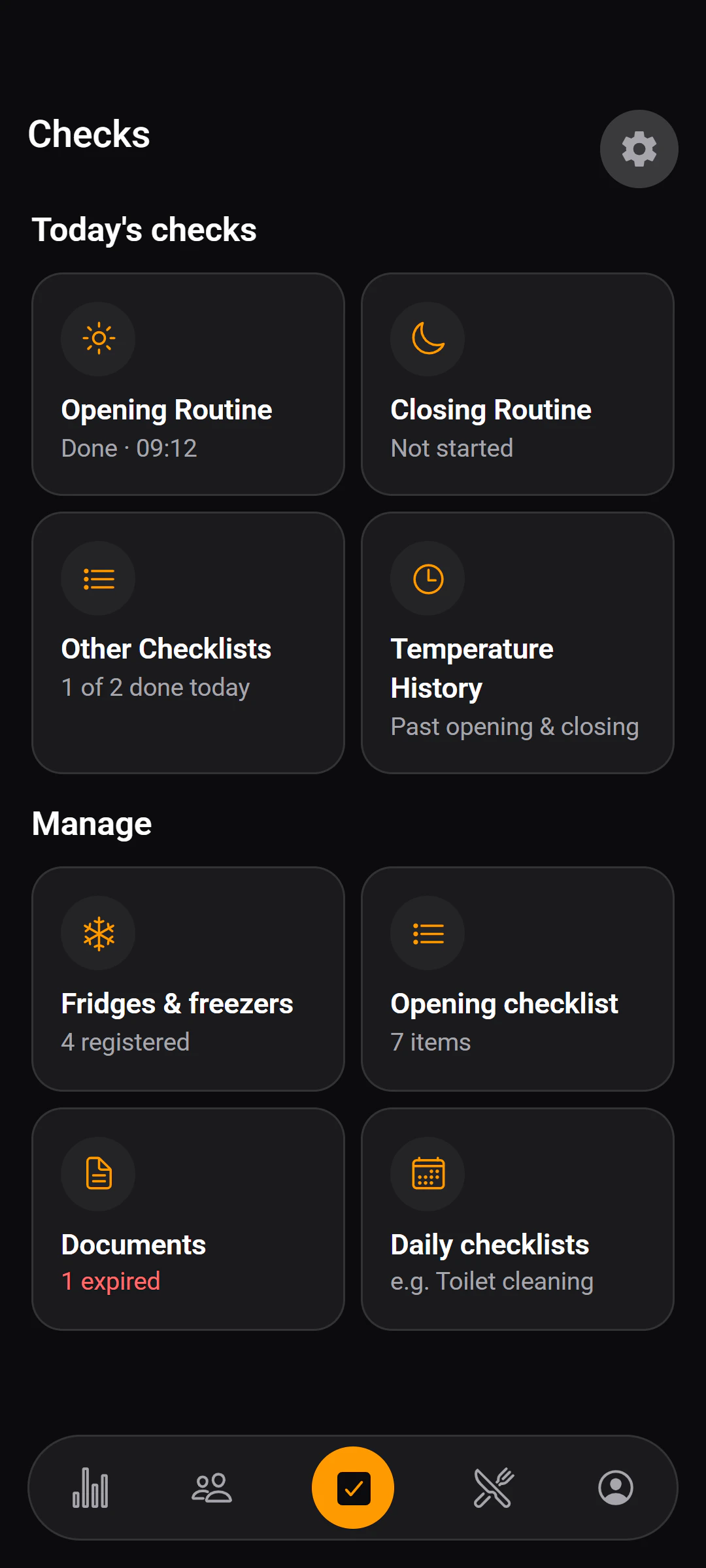
One routine for opening, one for closing.
Shared across the shift
A routine belongs to the restaurant, not to one person, so whoever is on can pick up where the last person left off.
Every completion is stamped
Each item records who completed it and when, with an optional note.
Temperatures
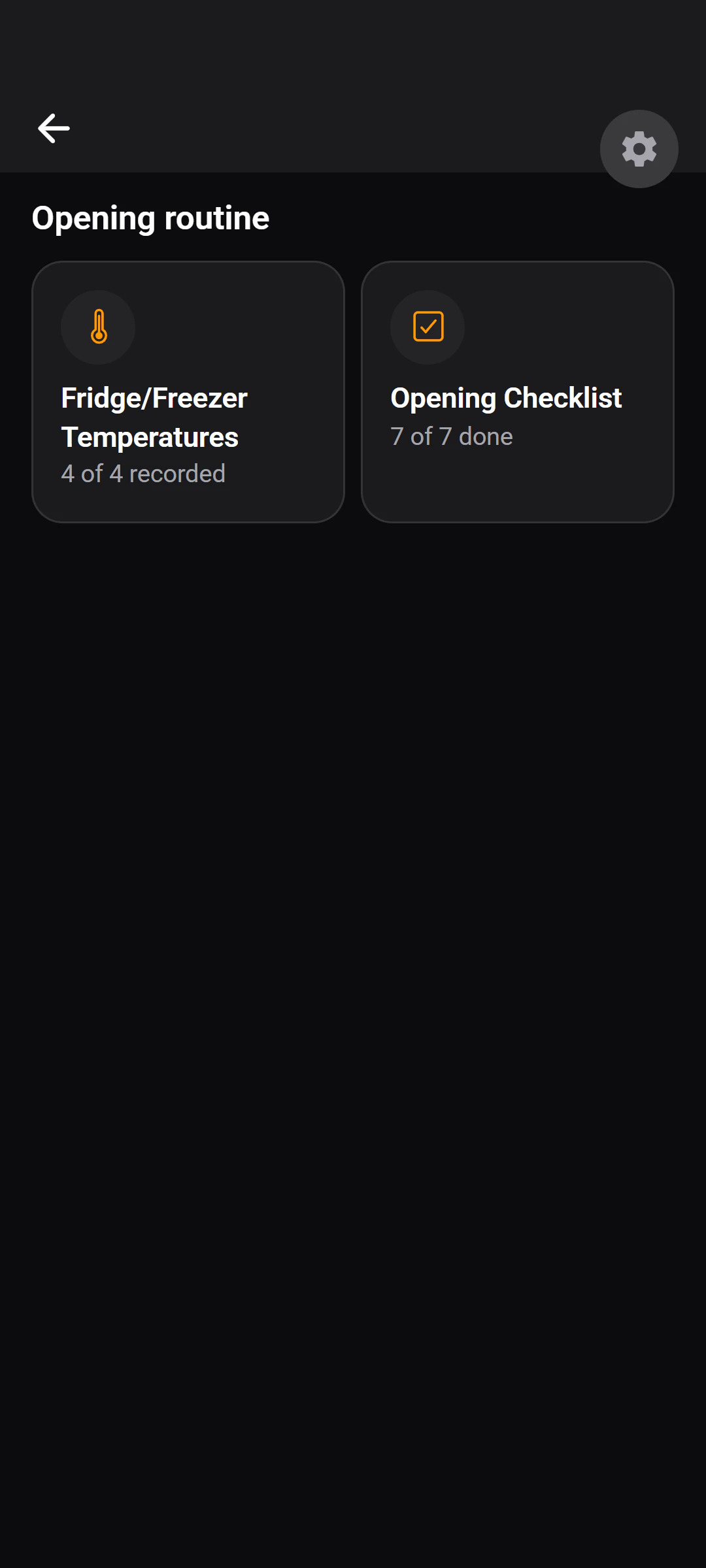
Every fridge and freezer, on the record.
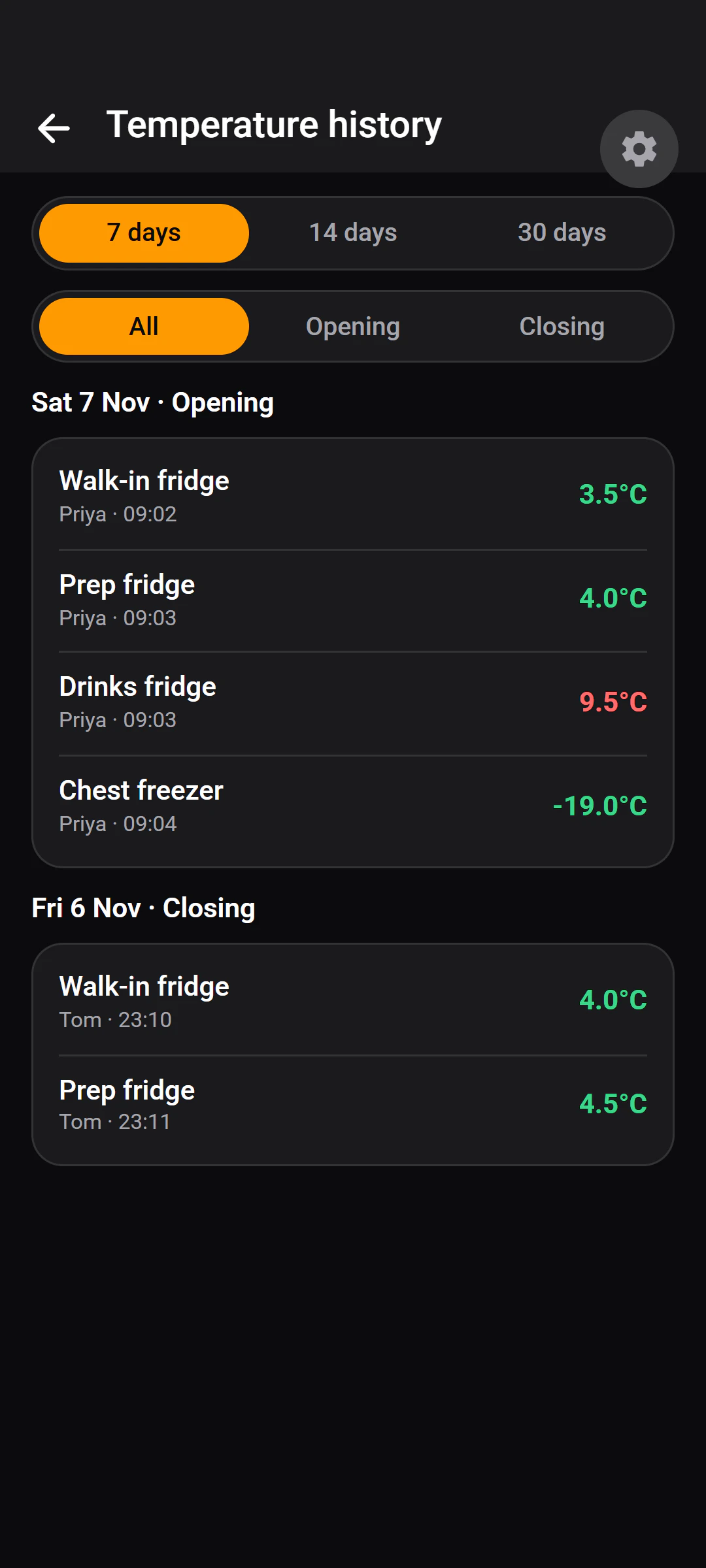
- Staff record a reading with a stepper, rather than typing a number.
- A reading above the unit's recommended maximum is obvious as it is entered.
- Anyone can add a note to a reading.
Named checklists
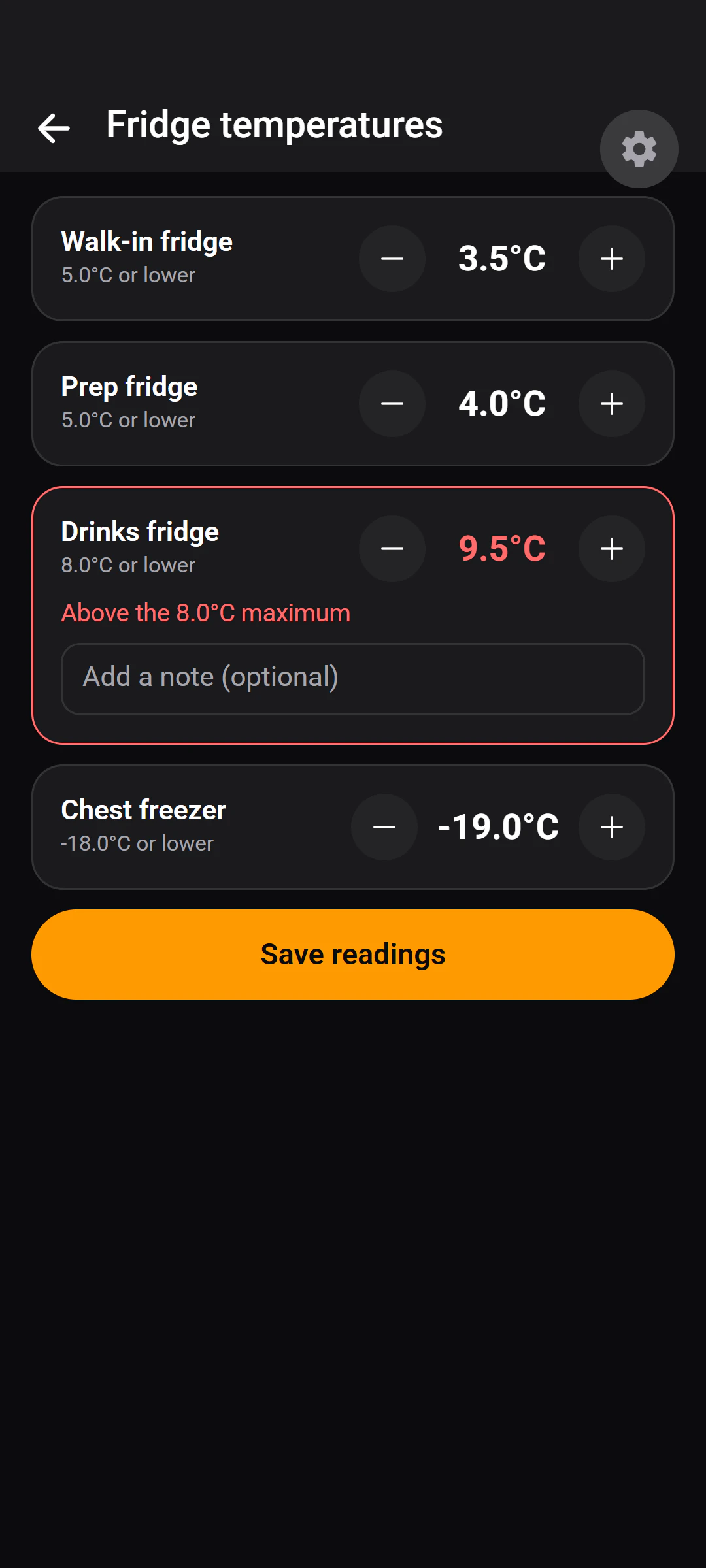
Daily, weekly and monthly lists, in your words.
Daily
Tasks completed with a name, a time and an optional note.
Weekly
Tasks completed with a name, a time and an optional note.
Monthly
Tasks completed with a name, a time and an optional note.
Documents
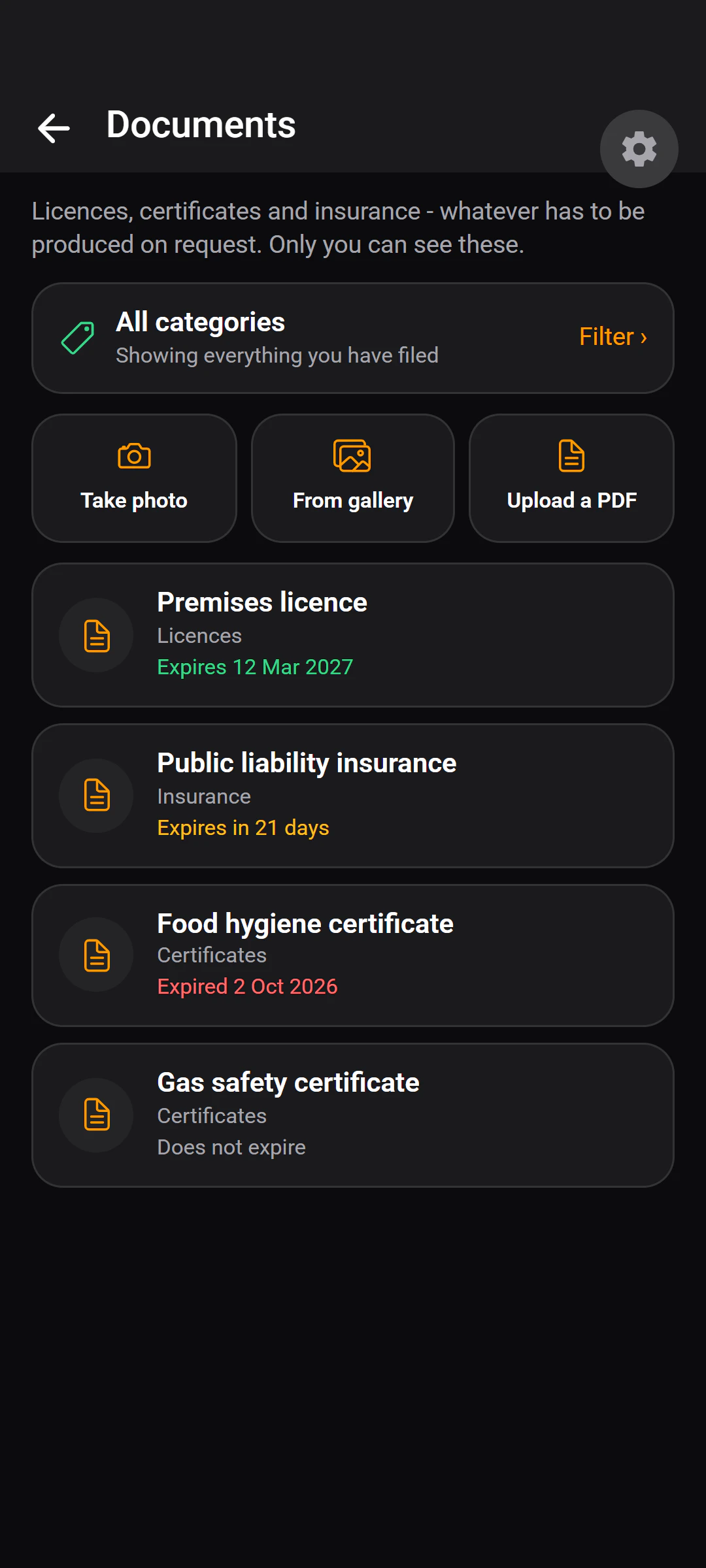
Someone official asks. It's two taps.
- Categories are named and ordered by you.
- An expiry date is optional — “does not expire” is a proper answer, not a blank.
- Images open full screen with pinch-to-zoom; PDFs open in the phone's own viewer.
- ValidIn date, or set as “does not expire”.
- Expiring soonDue to expire within 30 days — flagged amber.
- ExpiredPast its date — flagged red on the Documents tile.
Managers only. Staff have no access to the document vault — there is no route to it from a staff account, and the server enforces that.
History
Look back over the last month.
Recorded as it happened, not written up at the end of the week.
Honest gaps
What the compliance records don't do.
Three things worth knowing before you rely on it.
A checklist item has no “failed” state.
It records that it was done — by whom, when, with an optional note. An item that was not done is simply absent. Only a temperature reading is measured against anything: the unit's recommended maximum.
Nothing has to happen after an out-of-range reading.
A reading above the maximum is recorded and shown clearly, but the app does not require a corrective action or block anything until it is dealt with.
Nothing alerts you to a missed check.
There is no reminder or alert when a check is missed or overdue. You find out by opening the history.
What it does do: the record exists, it is timestamped, it says who, and it is on the phone when somebody asks. Invisiko does not certify your business against any scheme — the checks are yours.
Want the folder behind the counter on your phone?
Tell us about your place. A person reads every request and replies by email.